Planning a trip to the United Kingdom has never been simpler for eligible travelers, thanks to the new Electronic Travel Authorisation (ETA) scheme. This digital travel permit streamlines the entry process for short stays, making it a key component of modern British immigration policy.
However, a successful ETA application hinges on one critical, often overlooked detail: your photograph.
Unlike traditional visa applications, which rely heavily on paperwork, the UK ETA process is highly automated and uses biometric standards for identity verification. This means a poor-quality or non-compliant photo is the single fastest way to receive an application delay or rejection.
If you want to secure a quick and successful authorization, mastering the official UK ETA photo requirements is non-negotiable. This comprehensive guide will walk you through every technical and aesthetic specification, ensuring your image is ETA photo ready.
For a smooth, error-free application process, trust the experts at https://etauk.ae/.
The Digital Foundation: Technical UK ETA Photo Specifications
The UK ETA is a purely digital process, which means your photograph must meet strict digital criteria regarding dimensions, file type, and size. These technical rules are where many applicants trip up.
Required Photo Dimensions (Pixels and Aspect Ratio)
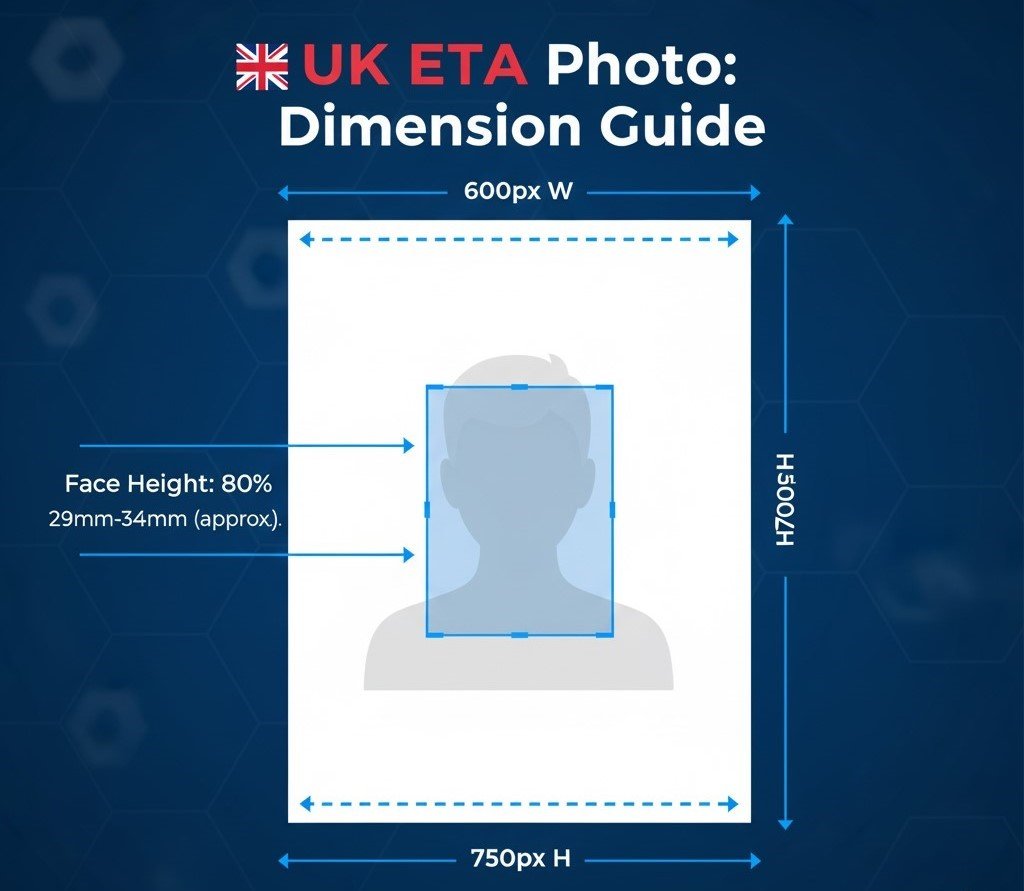
The image must adhere to a specific portrait aspect ratio to be accepted by the biometric system. If your photo has the wrong dimensions, the application portal will likely reject it outright.
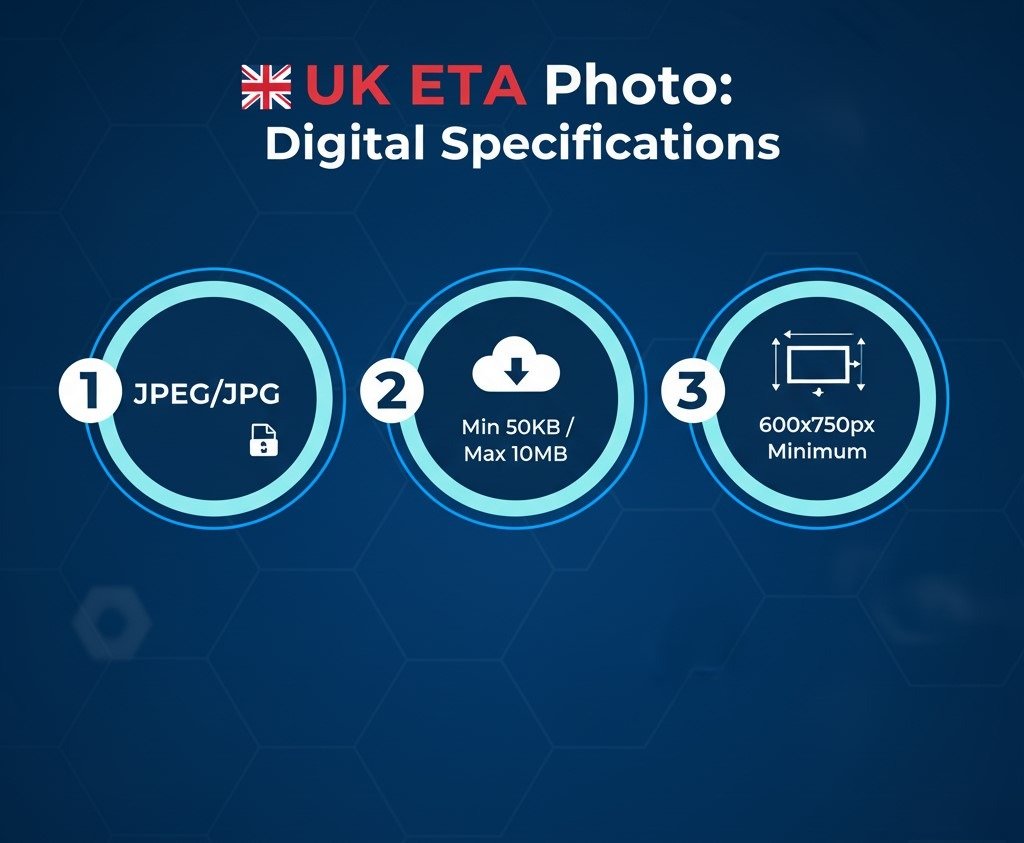
- Minimum Pixel Dimensions: The digital image must be at least 600 pixels wide by 750 pixels tall.
- Head Position in Photo: The height of your face (from the bottom of your chin to the crown of your head) must take up approximately 80% of the photograph’s height. This is a critical biometric standard requirement.
File Size and Format Requirements
The system needs a high-quality photo for facial recognition but has limits to prevent system slowdowns.
- File Format: The only universally accepted file format is JPEG (.jpg or .jpeg).
- File Size Range: The file size must be robust enough for clarity but small enough to upload: larger than 50KB and no more than 10MB.
Biometric Excellence: Facial and Aesthetic Rules
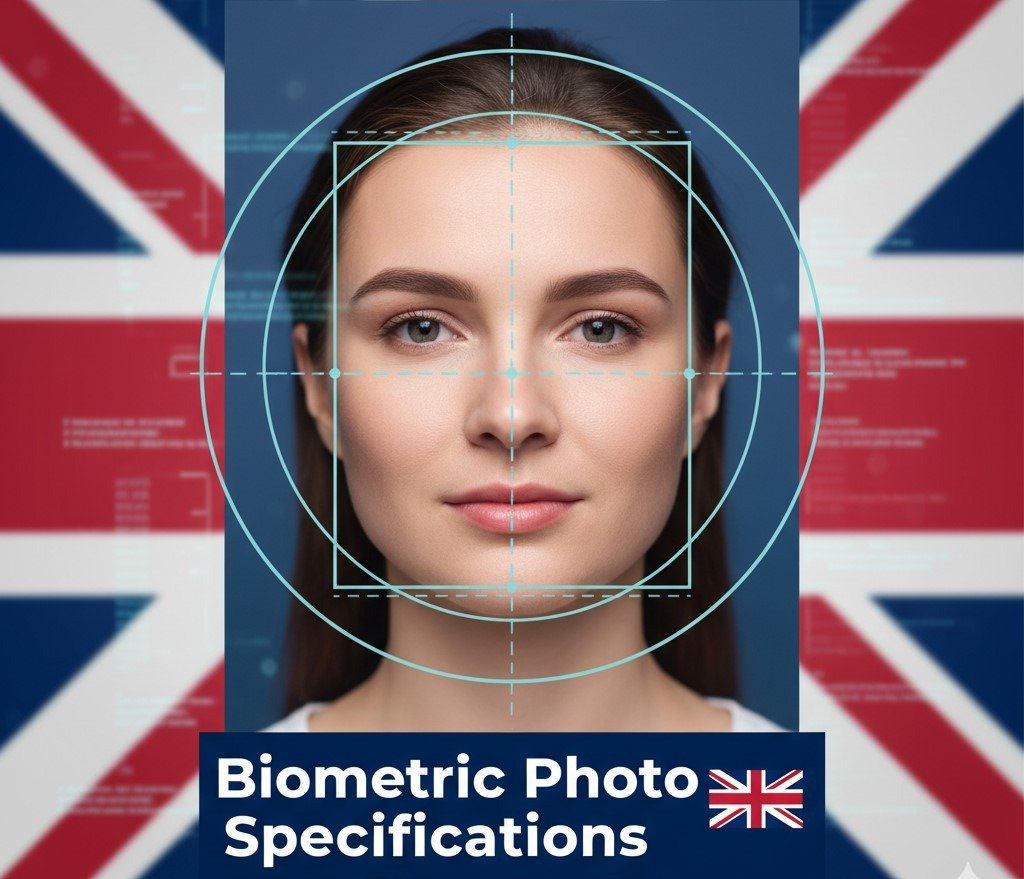
The UK travel authorization photo is used for advanced security screening. Therefore, your image must provide an unobstructed, clear view of your face for accurate biometric enrollment and analysis.
Clarity and Quality: The Foundation of Acceptance
Your photo can meet the size requirements but still be rejected if the quality is poor.
- Clarity and Focus: The photo must be clear and in sharp focus, with no motion blur or pixelation.
- Recent Photograph: The image must be a recent photograph—taken within the last month (30 days) of your application submission. It must be a current likeness. Do not submit a photo from an old passport or visa application, even if you think you look the same.
- Unedited: The photo must not be enhanced, filtered, digitally altered, or retouched.
Face, Expression, and Background Rules (The Three P’s)
These rules are often the source of the most common rejections.
Pose and Expression
The UK system requires specific facial alignment for the technology to work effectively.
- Head Position: Face the camera directly. Your head should not be tilted, turned, or cropped in any way. The photo must show a close-up of your full head and upper shoulders.
- Neutral Expression: You must maintain a plain expression with your mouth closed. No smiling, frowning, or exaggerated facial expressions are permitted. Your eyes must be open and clearly visible.
Background and Lighting
The background is critical for the system to isolate your face.
- Background Color: The background must be a plain light-coloured background. This is usually light grey or cream, but crucially, it must be uniform and non-patterned.
- Shadows: The lighting must be even. There should be no shadows on your face or behind you. Shadows interfere with the biometric software.
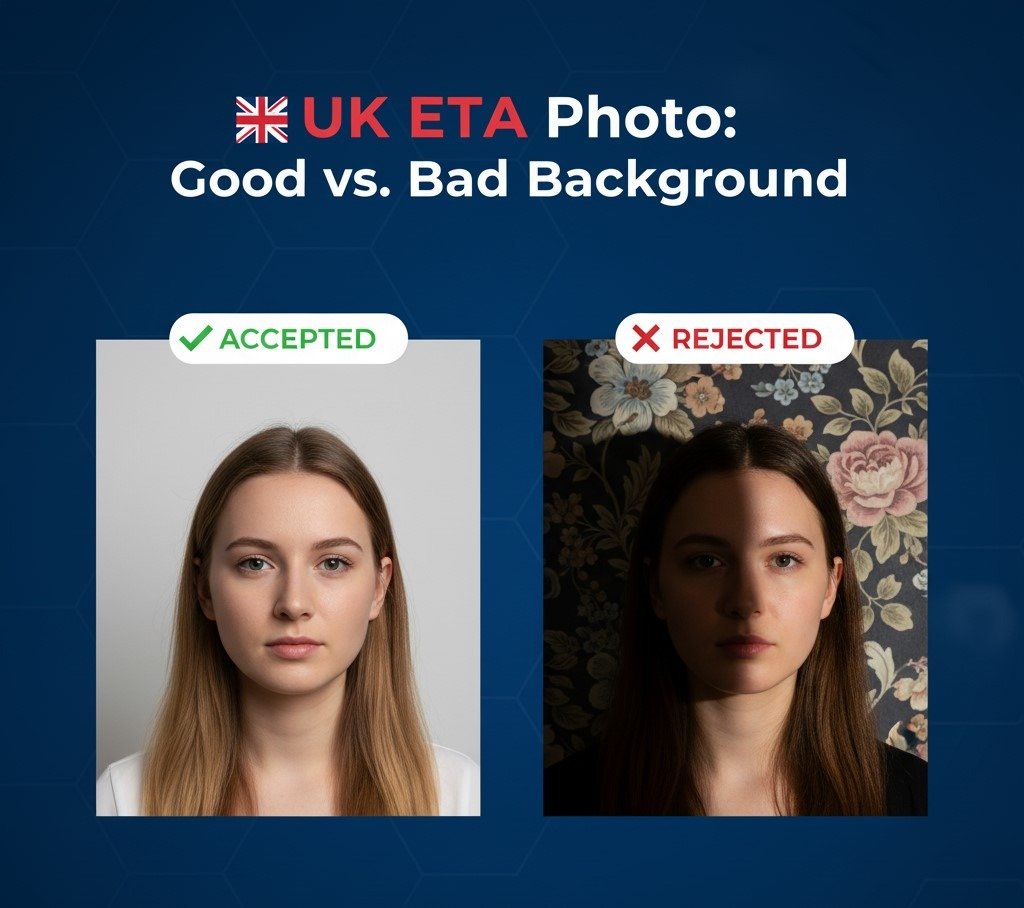
Accessories and Headwear: What You Can and Cannot Wear
The rules regarding accessories are designed to prevent obstruction of your key facial features.
The Rules for Glasses, Hats, and Head Coverings
- Glasses: The official guidance strongly recommends not wearing glasses. If you must wear them for medical reasons, they must not have thick frames, cause any glare or reflection, or obscure your eyes in any way. Sunglasses and tinted lenses are strictly forbidden.
- Head Coverings: Head coverings are generally not allowed unless worn for religious or medical reasons. If worn, they must be plain, not cast any shadows on the face, and the applicant’s face must be visible from the bottom of the chin to the top of the forehead.
- Jewelry: Small, everyday jewelry is usually fine, but large, reflective, or obscuring items should be removed. The core principle is that your face must be completely unobstructed.
Avoiding the Delay: Common Rejection Reasons and Solutions
Understanding the common rejection reasons is your best defense against processing delays. The strict adherence to passport photo standards is a key component of the UK’s high-tech approach to border security.
| Rejection Reason | The Problem | The Solution |
| Shadows/Glare | Uneven lighting causes shadows on the face or background, confusing the biometric photo specifications. | Use soft, natural light (facing a window) and stand slightly away from the wall to eliminate shadows. |
| Outdated Photo | The image is older than one month and does not reflect your current appearance. | Take a new photo specifically for the application. Do not reuse old photos. |
| Incorrect Expression | Smiling, pouting, frowning, or mouth being open. | Maintain a neutral expression with eyes open and mouth closed. |
| Wrong File Type/Size | Photo is a PNG, PDF, or is outside the 50KB–10MB range. | Use a photo-editing tool to ensure the file is a JPEG and fits the required size limits. |
| Low Quality | The image is blurry, pixelated, or has red-eye. | Use a high-quality camera or smartphone. Re-take the photo if it’s not perfectly clear and in focus. |
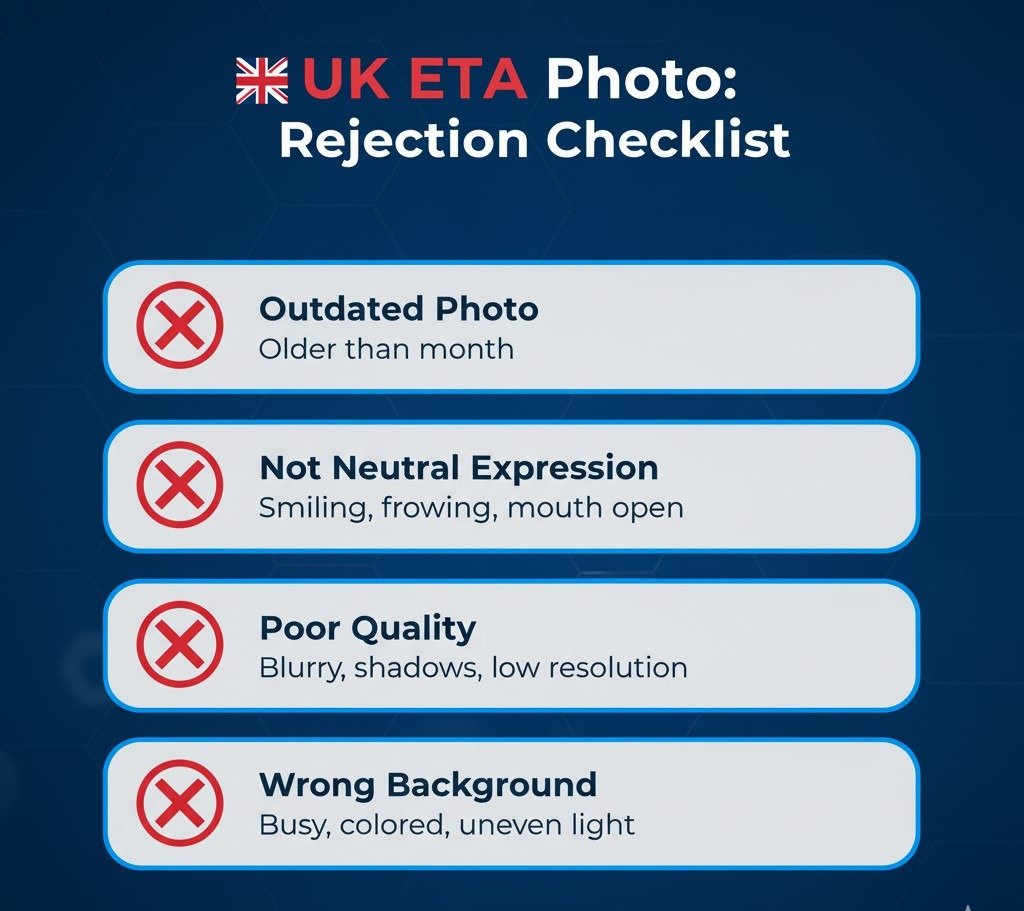
How to Take a Compliant UK ETA Photo at Home
You don’t need a professional photo studio to get a compliant image—a modern smartphone camera can be sufficient if you follow these steps:
- Set the Scene: Find a room with a plain, blank wall (light grey or white is best).
- Use Natural Light: Stand facing a large window during the day. This provides the best balanced light and eliminates shadows. Do not use a flash, as it causes red-eye and glare.
- Position Yourself: Stand about 1.5 to 2 feet away from the background. Have a friend or use a tripod to hold the camera approximately 5 feet away from you. This ensures your head and shoulders are included without being too close.
- Take the Shot: Look directly into the camera lens with a neutral expression. Take several shots to ensure you capture the perfect image without accidental blinking or smiling.
- Check Compliance: Use a cropping or resizing tool to ensure the image meets the 600×750 pixel minimum and the file size rules.
Conclusion: Submit with Confidence
The UK ETA application is streamlined for efficiency, but that speed is dependent on the accuracy of your submitted information, particularly your photograph. By strictly adhering to the technical specifications and biometric standards outlined in this guide, you drastically reduce the risk of application delay or refusal.
A compliant photo is the final, essential step to securing your UK travel authorisation and ensuring your journey to the United Kingdom starts without a hitch.
For expert guidance, comprehensive resources, and a seamless submission experience, apply through https://etauk.ae/.
Frequently Asked Questions (FAQs)
Q1: What is the exact size required for the UK ETA photo?
The photo for the digital application must be a JPEG file, with a minimum size of 600 pixels wide by 750 pixels tall. The file size must be between 50KB and 10MB.
Q2: Can I wear glasses or a hat in the photograph for the UK ETA application?
Hats or head coverings are only permitted if worn for religious or medical reasons, and the full face must remain visible. Glasses are highly discouraged; if worn, they must not cause any glare, reflection, or obscure the eyes in any way.
Q3: What background color is mandatory for the official UK ETA photo?
The photograph must be taken against a plain, light-coloured background (such as white, light grey, or cream). It must be uniform, without patterns, textures, or objects behind you.
Q4: How recent must my photograph be to be accepted for the UK ETA?
Your photograph must be a recent photograph taken within the last month (30 days) of submitting your application to accurately reflect your current appearance.
Q5: Does the photo for a baby or child have different requirements?
The size and background rules remain the same. However, slight leniency is given for children under six regarding their expression, and children under one year old do not have to have their eyes open. No other person, toy, or object can be visible in the image.