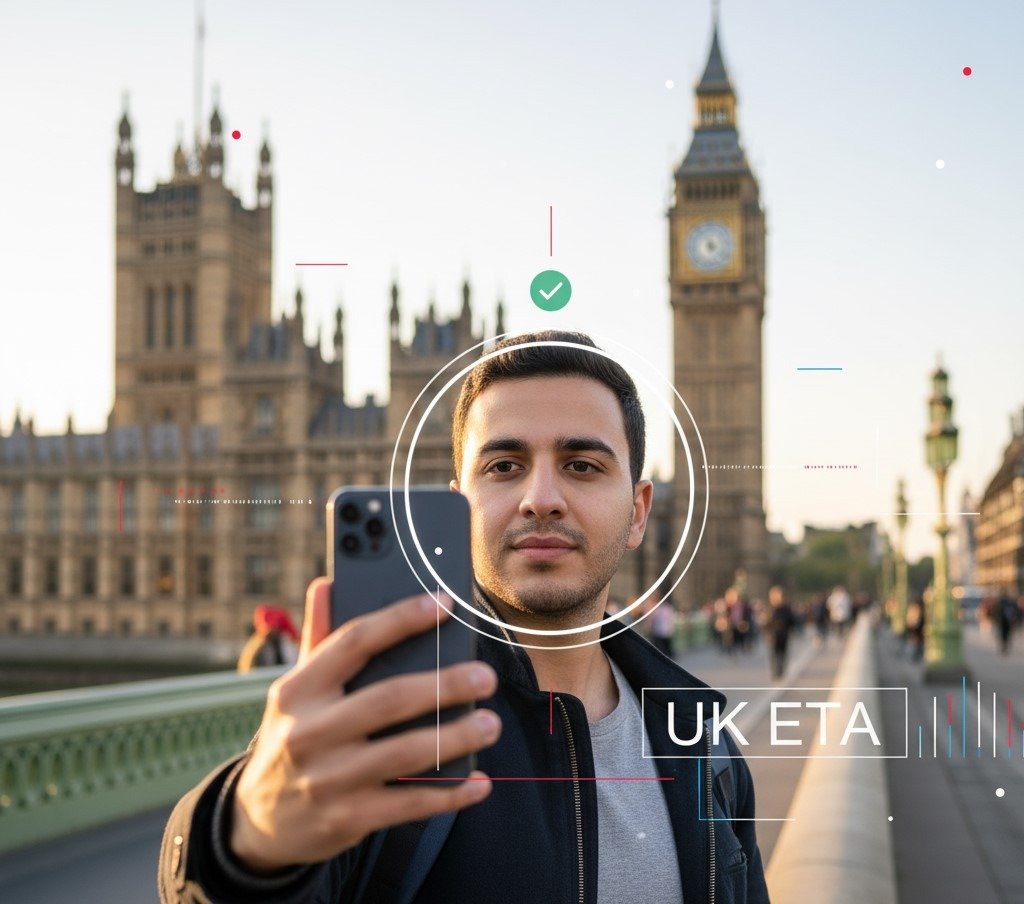
The way we travel to the United Kingdom is changing. If you are a citizen of an ETA-eligible country, the new Electronic Travel Authorisation (ETA) is a digital requirement you must secure before flying. While the process is streamlined and generally quick, one key area where applications often face delays is the UK ETA biometrics requirement—specifically, the digital photograph.
Unlike the complex in-person biometrics required for certain UK visa categories, the ETA application primarily relies on a high-quality, compliant digital photo. This article provides a comprehensive, step-by-step guide to the ETA photo requirements, ensuring your application is approved quickly and you can focus on planning your trip, whether for tourism, business, or transit. For a hassle-free application experience, reliable services like https://etauk.ae/ can assist in streamlining the process.
What Biometrics Does the UK ETA Application Require? (Clarifying Confusion)
The term ‘biometrics’ can be intimidating, often bringing to mind appointments at visa application centres. It’s crucial to understand that the UK ETA application is different and far simpler.
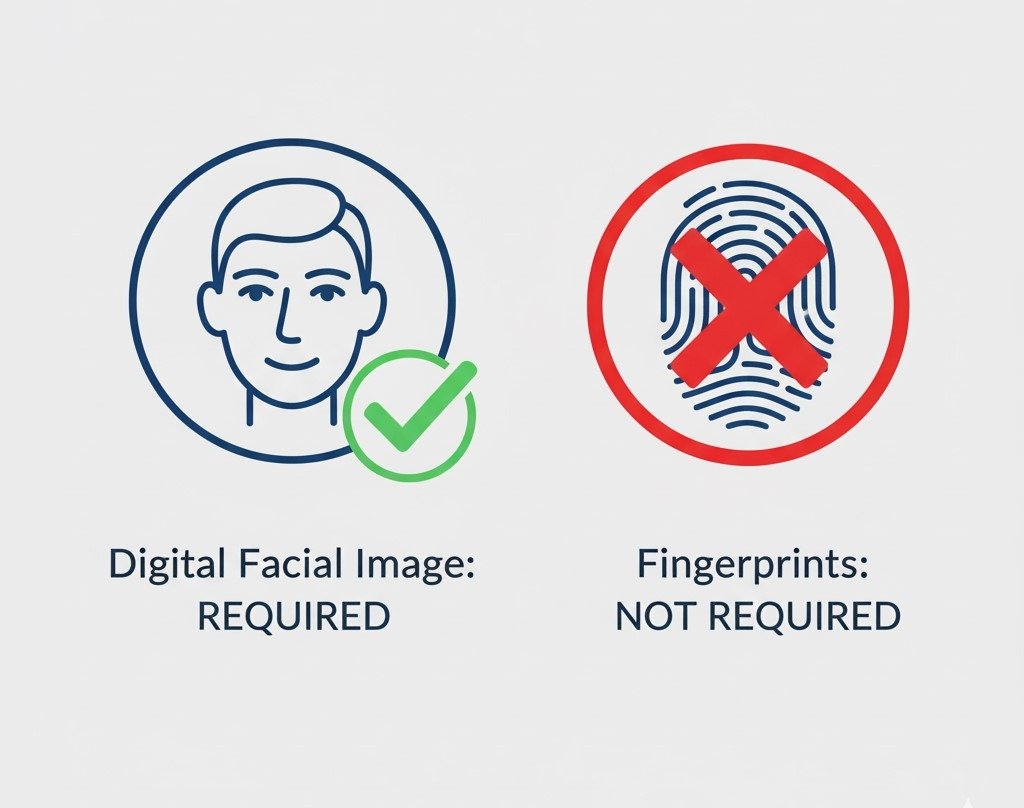
The primary biometric data collection required for the UK ETA application is the submission of a digital facial image/photograph.
- Facial Image: This is the core biometric requirement. The photo must meet strict digital and aesthetic specifications to be readable by the UK Home Office’s automated systems.
- Fingerprints: Do I need fingerprints for UK ETA application? No. For the standard online ETA application, you are not required to provide fingerprints or attend an in-person appointment. This feature is what makes the ETA process so much faster than traditional visa routes.
This focus on the digital photograph is a key part of the UK’s move toward a fully digital border system, where your electronic travel authorisation is linked directly to your passport.
The Essential Digital Photo Specifications: A Technical Breakdown
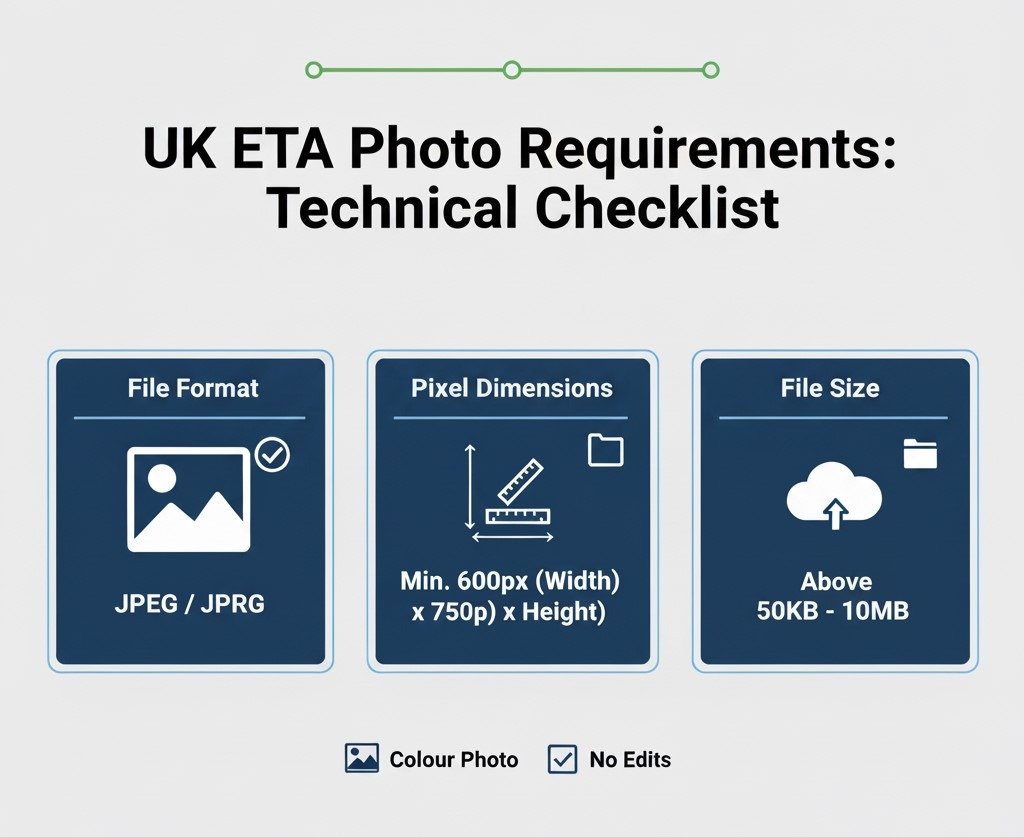
To align with the requirements of the UK government photo guidelines, your digital image must adhere to precise technical standards. An incorrect photo size or file type is one of the most common reasons for a swift, automated rejection.
The systems performing the biometrics update checks are highly automated, meaning there is zero tolerance for errors in these technical specifications.
File Format and Size
| Specification | Requirement | Key Term |
| File Format | JPEG (.jpg or .jpeg) only. | ETA photo requirements |
| Pixel Dimensions | Must be at least 600 pixels wide and 750 pixels tall (portrait image). | Digital photograph specifications |
| File Size | Must be between 50KB (kilobytes) and 10MB (megabytes). | Biometric data collection |
| Color | The image must be in color, with no filters or digital enhancements. | Quality & Clarity |
Quality & Clarity
Beyond the numbers, the photograph itself must be of high quality:
- Clarity: The image must be sharp, clear, and in focus. No blurriness or pixelation.
- Recent: The photo must have been taken within the last month and be a good, current likeness of your appearance.
- Unedited: The photo should not be cropped from a larger image or digitally altered/retouched in any way (no ‘red-eye’ correction, filters, etc.).
Appearance and Facial Pose Rules: Getting It Right the First Time
The purpose of a biometric photo is to allow facial recognition technology UK systems to accurately identify you by measuring the unique spatial relationship between your facial features. This requires strict adherence to appearance and pose rules.
Expression and Head Position
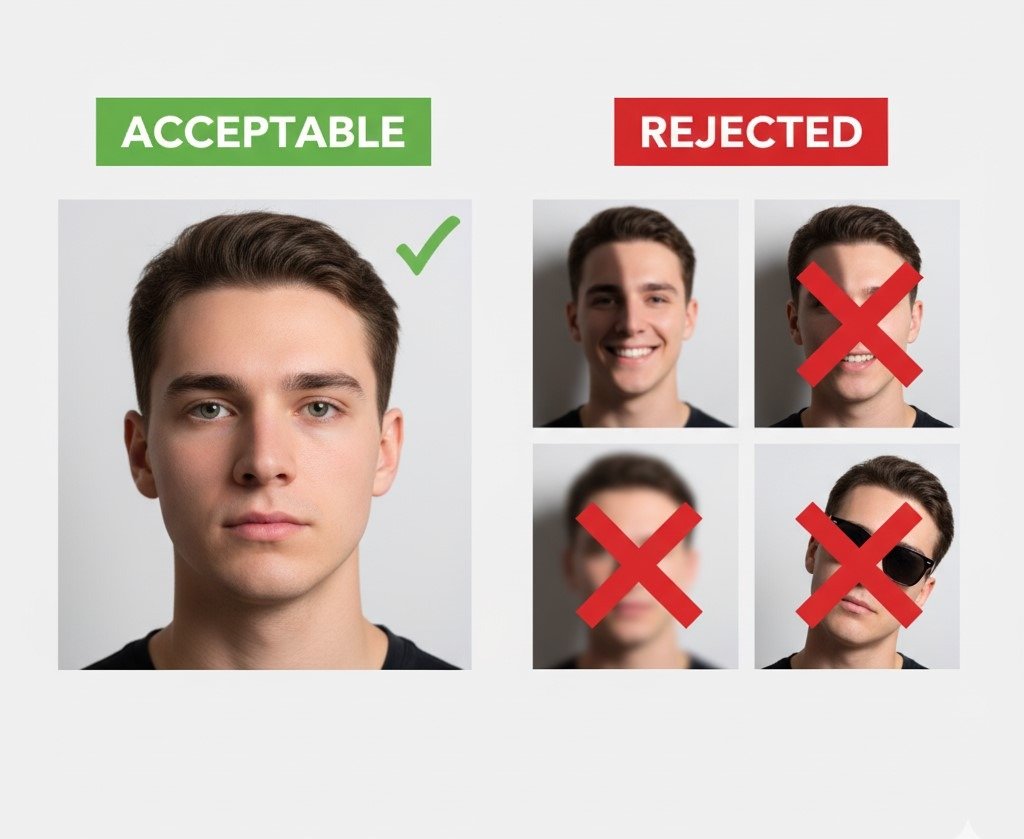
A neutral, unobstructed pose is essential for the system to process your UK ETA facial image.
- Expression: Maintain a neutral facial expression with your mouth closed. Avoid smiling, frowning, or any exaggerated expressions.
- Pose: Face directly forward, looking straight at the camera. Your head must not be tilted up, down, or to either side. Your head and shoulders should be fully visible, with the head occupying roughly 70-80% of the photograph.
- Eyes: Both eyes must be open, visible, and clear of any obstruction (like hair or frames).
Glasses, Headwear, and Accessories
These elements are frequent causes of rejection. When in doubt, it is always safer to remove the item.
- Glasses: Unless you must wear prescription glasses for medical reasons, you should remove them. If worn, there must be zero glare or reflection obscuring the eyes or face, and the frames cannot cover any part of the eyes. Sunglasses or tinted lenses are strictly forbidden.
- Headwear: Head coverings are generally not allowed unless worn for religious or medical reasons (e.g., a turban or Hijab). If worn, your face—from the bottom of your chin to the top of your forehead and both edges of your face—must be completely visible.
- Accessories: Facial jewellery, piercings, or other accessories that cover your face or cause light reflection may lead to rejection.
Optimizing Your Photo Background and Lighting
You can take a compliant photo at home, but success relies entirely on getting the background and lighting perfect.
Background Must Be Plain and Light
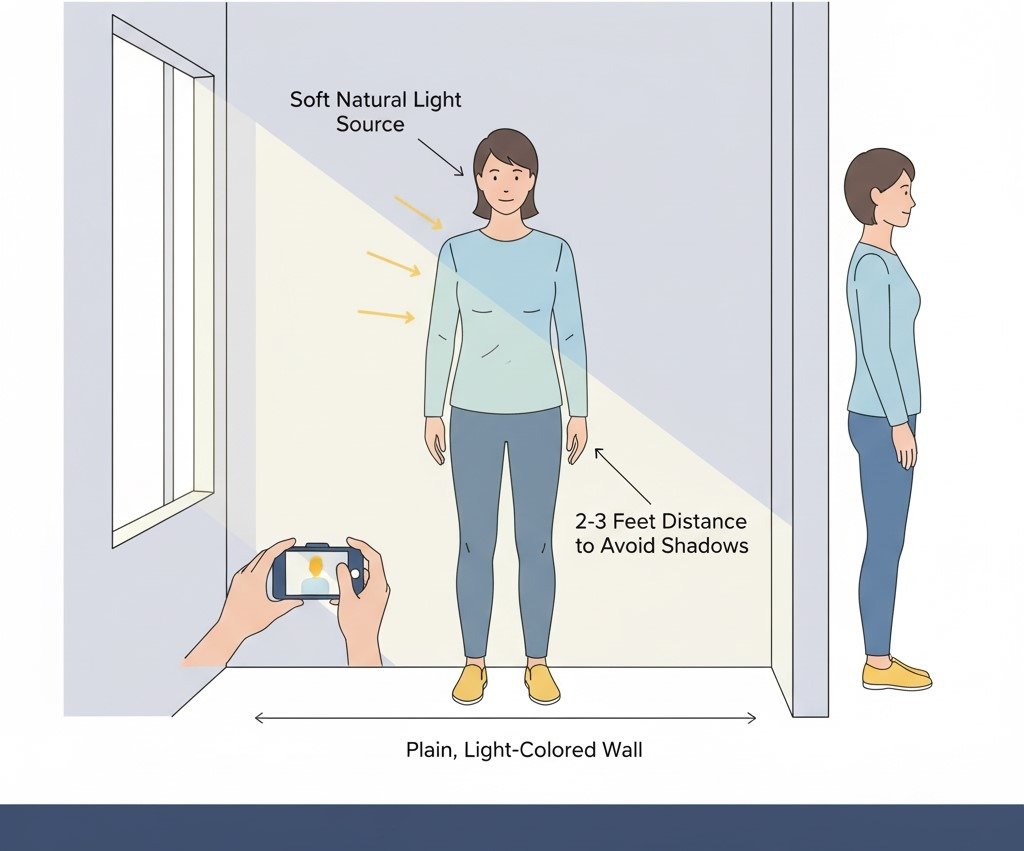
- The background must be a plain light-coloured background, such as white, cream, or light grey.
- It must be uniform and free of patterns, textures, or objects. You must be alone in the photo.
- Stand 2-3 feet away from the wall to prevent shadows from appearing behind you.
Even, Shadow-Free Lighting
Lighting is often the trickiest part.
- No Shadows: The entire face and the background must be evenly lit, with no harsh shadows cast across your face, behind your head, or on the background.
- Avoid Glare: Ensure your face is not overly exposed (too bright) or under-exposed (too dark).
- Best Practice: Use natural daylight (e.g., facing a window during the day) rather than overhead household lighting, which tends to create shadows under the chin and eyes.
Special Considerations for Minors (Children and Infants)
Every traveler, including babies and children, must secure their own ETA and submit a compliant digital photograph. The rules are slightly more flexible for the youngest applicants:
- Children Under Six: They are not required to maintain a neutral expression or look directly at the camera, though a full-frontal view is still necessary.
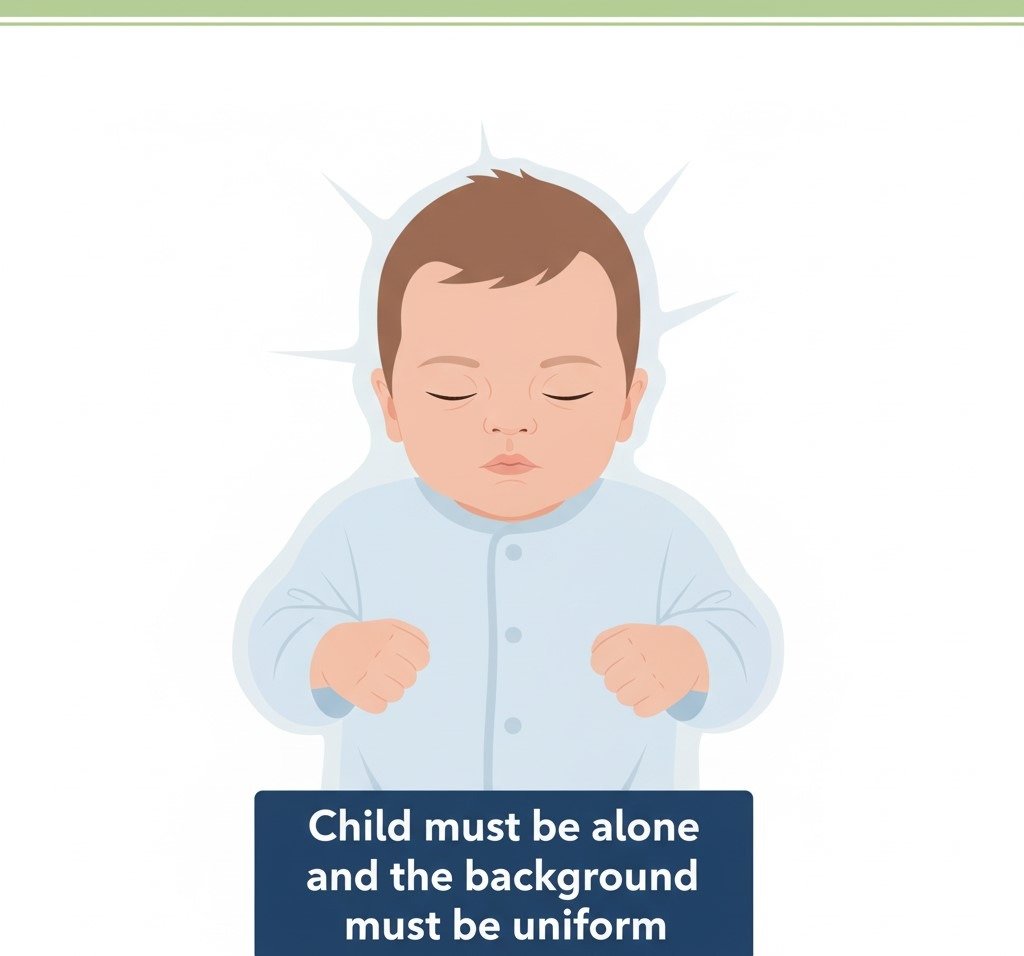
- Babies Under One: They do not have to have their eyes open.
- The Golden Rule: The photo must show the child alone. No toys, dummies, pacifiers, other people, or hands should be visible. A good technique for infants is to lay them on a plain white sheet and take the photo from directly above.
Why Biometric Compliance is Crucial (The Risk of Delays)
The shift to digital travel authorisation is designed to speed up the pre-screening process for visa-exempt travelers. However, the automated system relies on the quality of the information you provide.
A photo that does not meet the digital photograph specifications will cause your application to be flagged, resulting in:
- Rejection: The system will immediately reject the image, requiring you to upload a new one. This forces you to re-enter the application queue and pay the fee again.
- Delay: Applications with non-compliant photos take longer for case workers to review manually, potentially delaying your approval past the recommended processing time of three working days.
UK immigration policy is clear: non-compliant documentation will stall your entry permit. If you are travelling soon, any delay in your application, especially concerning the secure traveler scheme, can disrupt your travel plans.
To ensure all your details—from your passport information to your ETA photo requirements—are correctly handled on the first attempt, leveraging an expert application service can be invaluable. This is where services like https://etauk.ae/ simplify the online application process, mitigating the risk of rejection due to technical or visual errors.
Frequently Asked Questions (FAQs)
1. Do I need to visit an application center to submit my biometrics for the UK ETA?
No. The UK ETA process is entirely digital. You simply upload your compliant digital facial image as part of the online application through the official app or website. You do not need to attend an in-person appointment or submit fingerprints.
2. What happens if my UK ETA photo is rejected?
If your photo does not meet the biometric specifications, your application will be delayed, and you will typically be notified with a reason (e.g., ‘shadows on face’ or ‘incorrect dimensions’). You must then upload a compliant image and potentially re-submit the application, which may require repaying the fee.
3. How recent must my digital photo be for the ETA application?
The official guidelines state the photo must be a good likeness and taken within the last month to ensure it accurately reflects your current appearance, aligning with modern standards for a secure traveler scheme.
4. Can I wear prescription glasses in my ETA photo?
It is generally recommended to remove glasses to avoid complications. If you must wear them for medical reasons, they cannot be tinted, and there must be absolutely no glare, reflection, or shadow obscuring your eyes.
5. What are the key digital file requirements for the photo?
The photo must be a JPEG file, with a file size above 50KB and 10MB, and have a minimum resolution of 600 pixels wide by 750 pixels tall (portrait). Adherence to these technical details is critical for the automated system.
Conclusion: Travel with Confidence
The introduction of the UK ETA marks a significant change in how GCC residents travel to UK and how other visa-exempt nationals gain digital entry permit approval. While the application is designed to be user-friendly, the strict UK ETA biometric requirements—especially those concerning the digital photo—must be respected to prevent costly delays.
By following this checklist on appearance, lighting, and technical specifications, you can ensure your application is seamless, allowing you to quickly secure your ETA and enjoy your journey to the United Kingdom. For comprehensive guidance and application support, visit https://etauk.ae/.